
Views: 0 Author: Site Editor Publish Time: 2026-06-16 Origin: Site


Shifting consumer behavior and rising labor costs are accelerating the adoption of self-service kiosks, vending, and automated ticketing. Shoppers increasingly prefer quick, autonomous interactions. Modern businesses must adapt to these changing expectations to stay competitive. Deploying an Unattended Payment Terminal is fundamentally different from installing a standard countertop POS. The absence of a human cashier removes the first line of defense against tampering. It requires automated error handling and demands higher environmental durability. Success requires understanding the core technical architecture. You must rigorously evaluate hardware against environmental realities. Operators should proactively address compliance and security vulnerabilities before procurement. We will explore how these automated systems process transactions securely. You will learn how to audit your site for installation readiness. Finally, we provide actionable guidance to help you select the appropriate hardware ecosystem.
Integration is multi-layered: Unattended terminals require seamless synchronization between physical hardware (card readers/PIN pads), telemetry software, and a payment gateway.
Security goes beyond software: Physical tamper-resistance (anti-skimming, IK ratings) is just as critical as logical security (PCI-PTS, P2PE) in unattended environments.
Site readiness dictates success: Pre-installation audits for power stability, cellular/network fallback, and hardware mounting standards (e.g., EVA dimensions) prevent cost overruns.
Understanding the internal mechanisms of a self-service payment ecosystem reveals why these systems require meticulous integration. The transaction lifecycle operates in milliseconds. It demands perfect synchrony between hardware components and remote servers.
Every transaction follows a strict sequential process. Hardware and software must validate each step before dispensing a product or granting access. This automated flow replaces the manual checks performed by human cashiers.
Initiation & Data Capture: A customer presents a card, mobile wallet, or wearable device. The reader captures the data via NFC, an EMV chip, or a magnetic stripe.
Point-to-Point Encryption (P2PE): The terminal encrypts sensitive payment data instantly at the read head. It secures the payload before it ever reaches the kiosk controller.
Gateway Routing: The device transmits encrypted data over a secure network. It uses LAN, Wi-Fi, or cellular connections to reach the payment gateway.
Processor & Issuing Bank Authorization: The gateway routes the request to the payment processor. The processor then pings the issuing bank to verify available funds and fraud markers.
Telemetry & Machine Trigger: Upon approval, the terminal signals the host machine. It uses hardware protocols like MDB or Pulse to trigger the dispense action.
Standard countertop POS systems rely on human cashiers to manage errors. If a network drops, the cashier apologizes and asks for cash. Unattended terminals lack this human fallback. They must handle their own offline queuing and display clear error messaging. They manage automated daily batching without manual intervention. If a paper jam occurs in an automated ticketing machine, the terminal must automatically reverse the authorization. It then resets for the next user. This demands highly resilient firmware architectures.
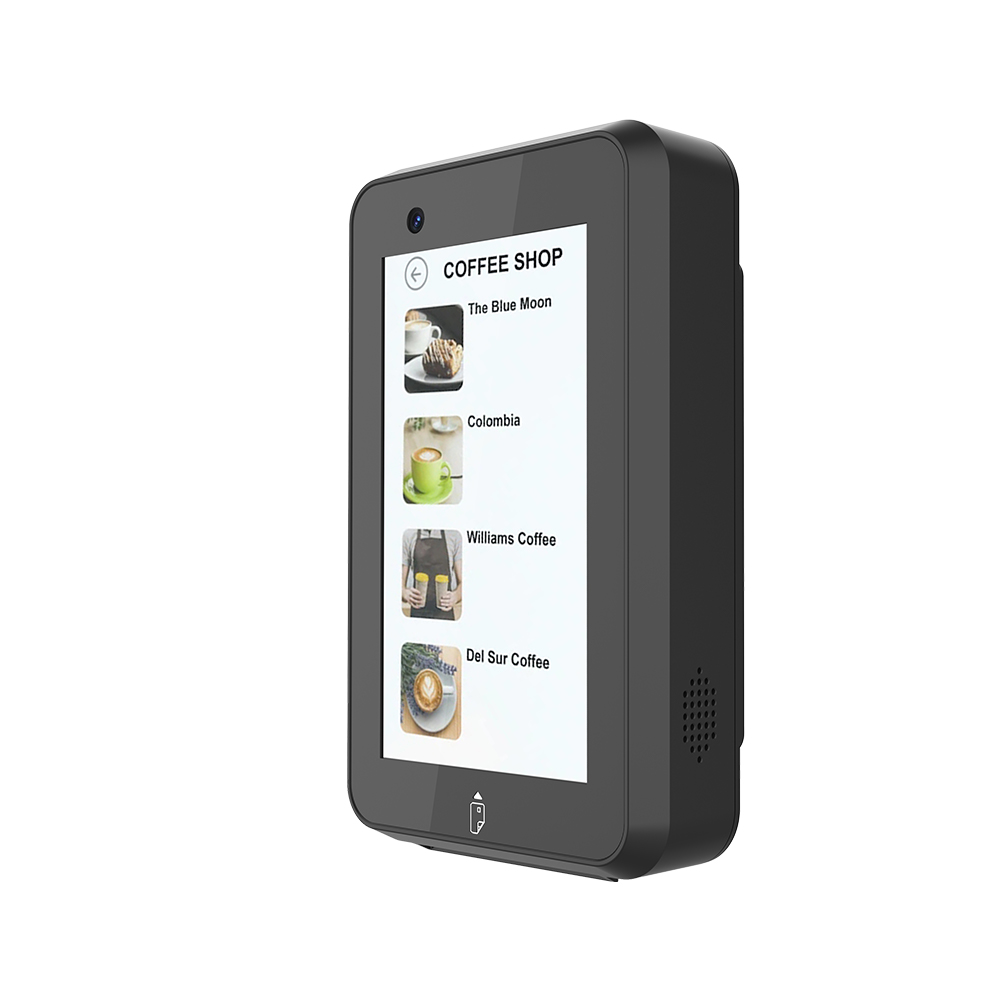
Hardware specifications directly impact uptime and revenue. You must evaluate devices based on the physical environment they will inhabit. A robust Unattended Payment Terminal ensures continuous operation despite adverse conditions.
Outdoor and high-traffic deployments expose hardware to severe stress. Assessing ingress and impact ratings prevents premature hardware failure.
Ingress Protection (IP Ratings): Outdoor kiosks face rain, dust, and extreme temperature fluctuations. You should require IP65 or IP66 ratings. These ensure the internal circuitry remains sealed against water jets and fine particulate matter.
Impact Protection (IK Ratings): Public spaces invite vandalism and accidental strikes. Terminals need IK08 to IK10 certifications. These standards verify the screen and casing can absorb significant kinetic energy without shattering.
Rating Type | Standard | Real-World Application |
|---|---|---|
Ingress (IP) | IP65 | Protects against dust ingress and low-pressure water jets (e.g., heavy rain). |
Ingress (IP) | IP66 | Seals against heavy seas or powerful water jets (e.g., pressure washing). |
Impact (IK) | IK08 | Absorbs a 5-joule impact. Suitable for supervised indoor transit hubs. |
Impact (IK) | IK10 | Absorbs a 20-joule impact. Essential for unsupervised outdoor vending. |
Network drops equal lost revenue. A hardwired Ethernet connection provides the most stable primary network. Wi-Fi offers flexibility but suffers from environmental interference. We highly recommend devices featuring built-in 4G/LTE cellular fallbacks. When the primary landline fails, the device automatically switches to cellular data. This redundancy keeps kiosks generating revenue during localized internet outages.
Consumer payment preferences vary sharply by region and demographic. Terminals must support traditional EMV chip and PIN inputs. They must also process contactless options like Apple Pay and Google Pay. Modern deployments often require QR code scanners for localized mobile wallets. Transit and campus environments frequently demand closed-loop RFID card support.
Kiosk real estate dictates your hardware design. All-in-one devices combine the card reader, touchscreen, and PIN pad into a single chassis. They simplify installation and reduce cutout requirements. Modular setups separate the screen from the card reader. This allows you to fit payment components into tight or unusually shaped machine enclosures. Choose the form factor matching your host machine's available surface area.
Deploying unattended systems introduces unique vulnerabilities. Criminals exploit isolated machines using physical skimming devices and network interception. Securing these devices requires a multi-layered approach encompassing hardware, software, and continuous monitoring.
An anti-skimming architecture forms the foundation of unattended security. Criminals attempt to insert physical shims or overlay fake keypads. Secure terminals utilize encrypted read heads to neutralize intercepted data. They feature tamper-responsive micro-switches inside the casing. If an attacker pries the terminal open, these switches instantly zeroize the device. Zeroization deletes all cryptographic keys, rendering the stolen hardware completely useless.
Payment standards evolve rapidly. Relying on outdated certifications exposes operators to liability and forced hardware replacements.
PCI-PTS (PIN Transaction Security) Certification: The Payment Card Industry mandates strict manufacturing standards for PIN entry devices. Always verify the current PCI-PTS version. Installing devices near their certification sunset date creates massive upgrade liabilities.
EMV Level 1 and Level 2: EMV compliance involves two distinct layers. Level 1 certification ensures the physical hardware meets electrical and mechanical standards for reading chips. Level 2 certification validates the payment kernel software. The kernel governs how the device processes the specific logic of Visa, Mastercard, or Amex transactions.
Managing dispersed fleets requires a centralized Terminal Management System (TMS). A TMS monitors device health in real-time. It detects offline statuses or physical tampering attempts instantly. Administrators use the TMS to push critical security patches over the air. You cannot physically visit hundreds of machines to update software manually.
Best Practice: Always perform routine physical inspections of unattended enclosures, even if TMS telemetry shows healthy status. Look for subtle glue residue or mismatched plastics indicating an external skimming overlay.
Common Mistake: Failing to track PCI-PTS sunset dates before bulk procurement. Buying discounted hardware running outdated PCI v4.x can lead to forced network deactivations shortly after deployment.
Many operators severely underestimate the physical complexities of self-service deployments. Site readiness ultimately dictates project success. Conducting thorough audits prevents integration failures and delays.
Modifying metal kiosk enclosures is expensive. Verify your chosen terminal complies with industry-standard cutouts. The EVA (European Vending Association) standard defines specific dimensions for payment modules. Adhering to EVA dimensions guarantees you can swap terminals without custom metal fabrication.
You must also check communication protocol compatibility. Vending machines predominantly use MDB (Multi-Drop Bus). Arcade and amusement machines often rely on ccTalk. Modern smart kiosks typically integrate via modern APIs or SDKs operating over USB or serial connections. Ensure your terminal natively speaks the language of your host machine controller.
Cellular connectivity heavily depends on the kiosk's construction. Thick metal enclosures create a Faraday cage effect. They block internal antennas from reaching cellular towers. If you install a terminal inside a heavy steel cabinet, you will likely need an external, roof-mounted antenna. Test signal strength with the cabinet door completely closed.
Power stability represents another critical failure point. Unattended terminals require clean, isolated power supplies. Shared power lines create voltage spikes when large compressors or motors activate. These spikes can cause payment terminals to spontaneously reboot during transactions. Install dedicated power conditioning units to protect sensitive payment hardware.
Environmental lighting dramatically alters screen readability. Terminals installed in direct sunlight require ultra-bright displays. Assess the screen's nit rating. Devices intended for outdoor use should exceed 800 nits to remain legible at noon.
Accessibility compliance ensures all customers can interact with the machine. ADA (Americans with Disabilities Act) regulations dictate specific installation heights. Devices must feature tactile keypads or Braille indicators. They should supply audio prompts for visually impaired users. Ignoring ADA requirements invites significant legal exposure and alienates potential customers.
Selecting a hardware partner shapes your operational agility for years. Look past the technical specification sheets. Evaluate vendors based on their ecosystem flexibility and post-sale support structures.
Determine whether the hardware locks you into a specific payment processor. Closed ecosystems force you to use the vendor's proprietary gateway. This severely limits your ability to negotiate processing rates in the future. Gateway-agnostic terminals allow you to route transactions to various processors. This flexibility lets you secure better interchange rates as your transaction volume grows.
Clarify exactly what the vendor can update remotely. Can they push core firmware updates and new EMV configuration files over the air? Some legacy devices still require manual USB-based updates. Dispatching a technician to manually flash 500 machines eliminates any efficiency gained by automation. Insist on robust, cloud-based OTA capabilities.
Hardware fails eventually. Assess the vendor's Return Merchandise Authorization (RMA) process. Ask for guaranteed turnaround times for replacing dead terminals. Understand who bears the logistical burden of lost uptime. Vendors offering advanced replacement programs ship a new unit immediately upon receiving a failure ticket. This approach minimizes machine downtime compared to traditional repair-and-return models.
An automated checkout system is a critical infrastructure investment. Its success demands rigorous planning beyond a simple feature checklist. Deploying reliable self-service experiences requires seamless technical synchrony and robust physical defenses. You must account for environmental stressors, communication protocols, and remote management constraints long before installation begins.
To ensure a smooth rollout, immediately audit your existing kiosk enclosures for physical dimensions and power isolation. Validate cellular signal strength at your deployment locations. We strongly advise decision-makers to request a sandbox testing unit from shortlisted vendors. Use this unit to thoroughly validate API and MDB integration with your specific machine controllers before committing to a massive fleet deployment.
A: Attended terminals operate with human cashiers who troubleshoot errors, manage queuing, and deter physical tampering. Unattended terminals operate autonomously in self-service environments. They feature hardened enclosures, advanced anti-tamper mechanisms, and automated error recovery to handle transactions entirely without human intervention.
A: Yes, many feature Store-and-Forward capabilities. They encrypt and store transaction data locally during network outages. Once connectivity resumes, they forward the batch to the processor. However, this carries risks, as funds cannot be verified instantly. Operators usually enforce strict limits on transaction amounts processed offline.
A: MDB stands for Multi-Drop Bus. It is a widely adopted communication protocol within the vending industry. MDB allows the payment terminal, coin mechanism, bill validator, and the vending machine's main controller to communicate seamlessly over a single standardized cable.
A: A high-quality outdoor terminal typically lasts 3 to 5 years. Hardware degradation from weather and continuous usage drives this lifecycle. Furthermore, PCI-PTS security certifications eventually reach sunset dates, mandating hardware upgrades to maintain network compliance regardless of the device's physical condition.
